
3DTuning alternative
3DTuning is the big browser catalog. TurboSet is an iPhone app: build your car in 3D and turn it into a cinematic studio video.
Coming soon to iPhone. Follow @turboset.ai on Instagram for early access.
We make TurboSet. We aim to compare fairly.
Why switch?
3DTuning is great when you want every model in a desktop browser. TurboSet is for your phone: simple touch controls, then a path-traced studio video of your build.
Need the biggest catalog? Stay with 3DTuning. Want a fast mobile session and shareable video? Try TurboSet.
TurboSet strengths
- Beginner-friendly, no experience needed
- Turn your 3D build into a cinematic studio video
- Real light and reflections, path traced on GPUs
- Paint, wraps, decals, wheels, stance, tint and livery
3DTuning strengths
- Huge vehicle and parts library
- Strong community and shared builds
- Works in desktop browser
- Free to start, optional paid extras
At a glance
A quick snapshot. Check each official site for the latest details. 3DTuning
| Feature | TurboSet | 3DTuning |
|---|---|---|
| Platform | iPhone, mobile-native | Web browser |
| Ease of use | Simple, beginner-friendly UI | Deep menus; steeper on phone |
| Instagram video | Path-traced studio video of your 3D build | Standard 3D view, no studio video |
| Best for | Easy mobile builds + social video | Max models on desktop |
What you can do in Turboset
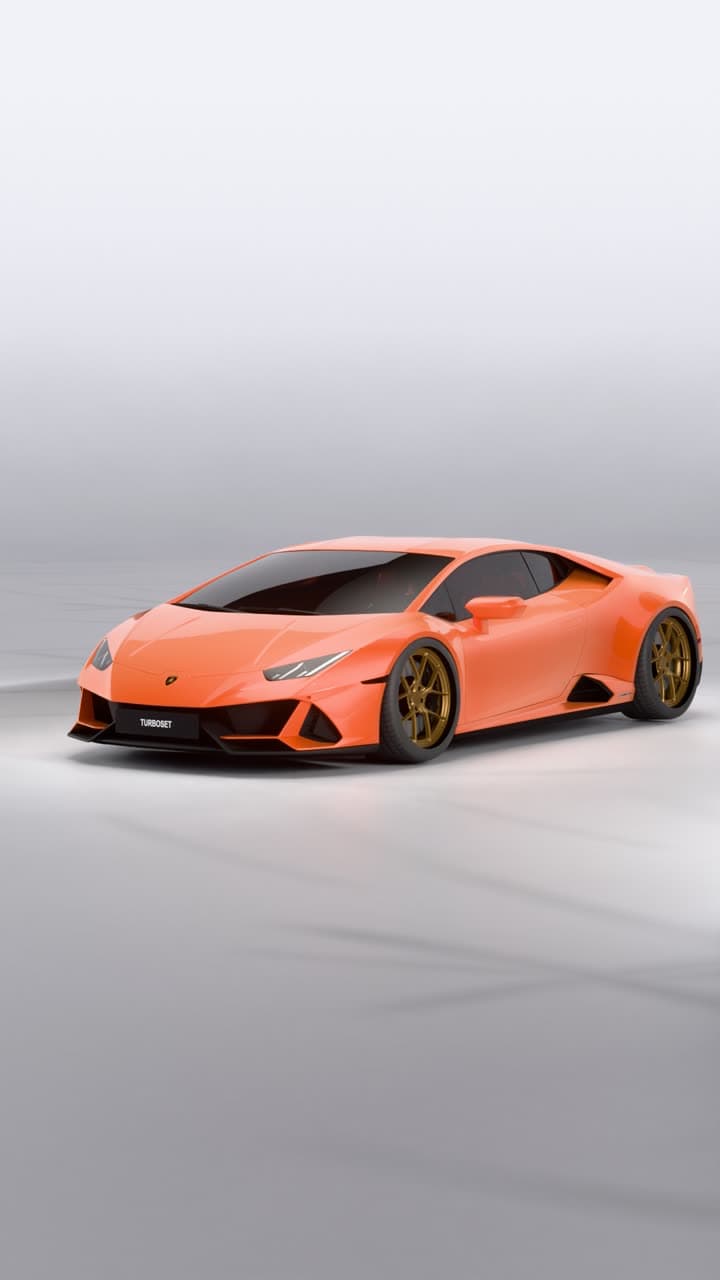
Build it in 3D.
Render it in our studio.Customise your car in the editor, then get a studio video of it.
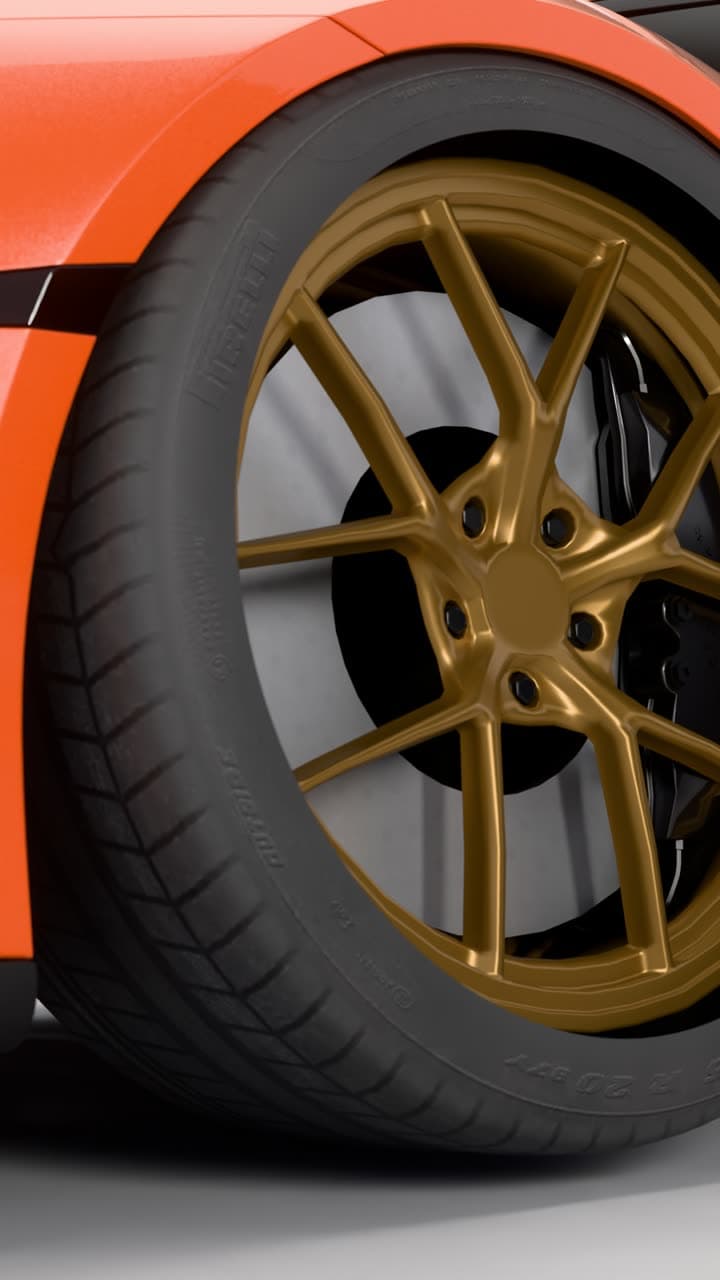
Real light.
Real reflections.Every video is path traced on GPUs in our studio, not generated by AI. 13 seconds, vertical, eight shots in one cinematic edit.
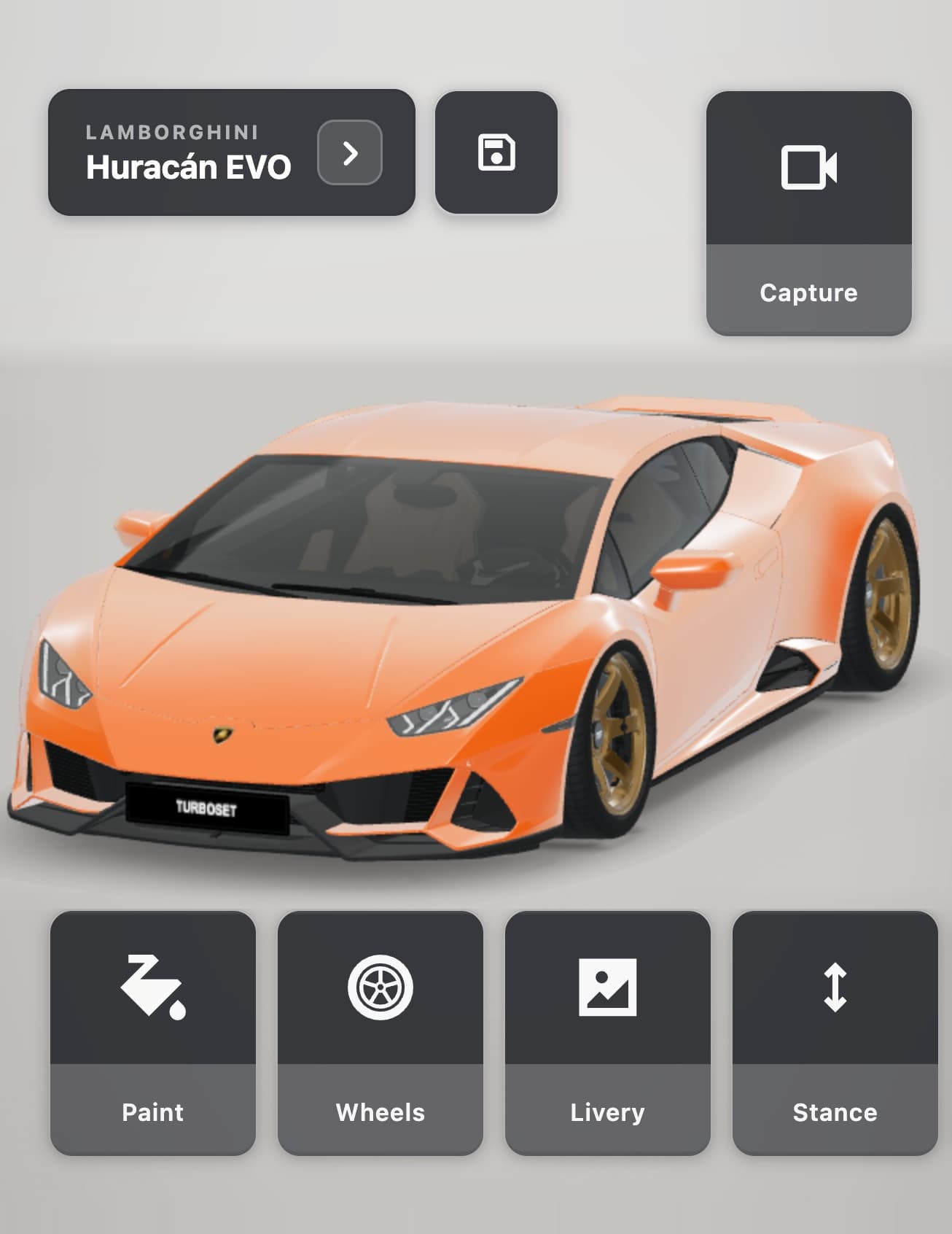
Customise
everything.Paint, wraps, wheels, stance, livery and more on a real 3D model.
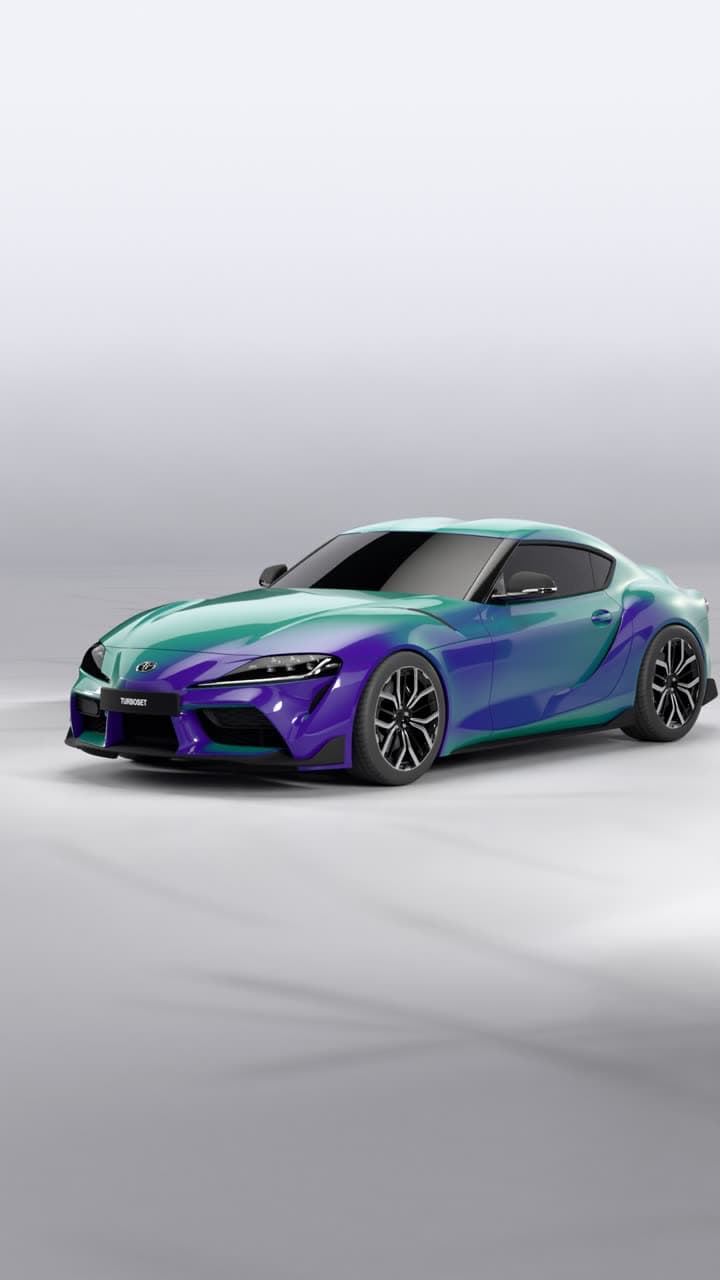
Make it
yours.Wraps, patterns, two-tone wheels, colour-shift paint and more. Add your own photos as decals.
FAQ
- Is TurboSet good for beginners?
- Yes. Pick a car, swipe to customize, then render a studio video. No manual needed.
- Does TurboSet replace all of 3DTuning?
- No. 3DTuning’s catalog is bigger. TurboSet is easier on mobile and exports studio video.
- Android or desktop?
- TurboSet is iPhone first. For desktop browser tuning, 3DTuning still fits.
Build it in 3D.
Render it in our studio.
Build your car in 3D and get a cinematic studio video of it: path traced on GPUs, not generated by AI.
Coming soon to iPhone. Follow @turboset.ai on Instagram for early access.